Memos: the app that simplifies everything, without the hassle
I’ve always looked for a quick and intuitive way to jot down whatever crosses my mind. Between my ideas, my to-do lists, or even bits of code, I needed a minimalist tool that gets straight to the point. Memos fills that role perfectly.
I’ve now been using it almost every day for more than two years. I’ve tried other solutions like Evernote, Notion, or Obsidian, but I always come back to Memos. It just does what I need: a clear space to write in a few seconds, without distractions.
A minimalist, efficient interface
Memos’ biggest strength is its ultra-clean interface. You open it, you type, it’s saved. No complex menus or intrusive options.
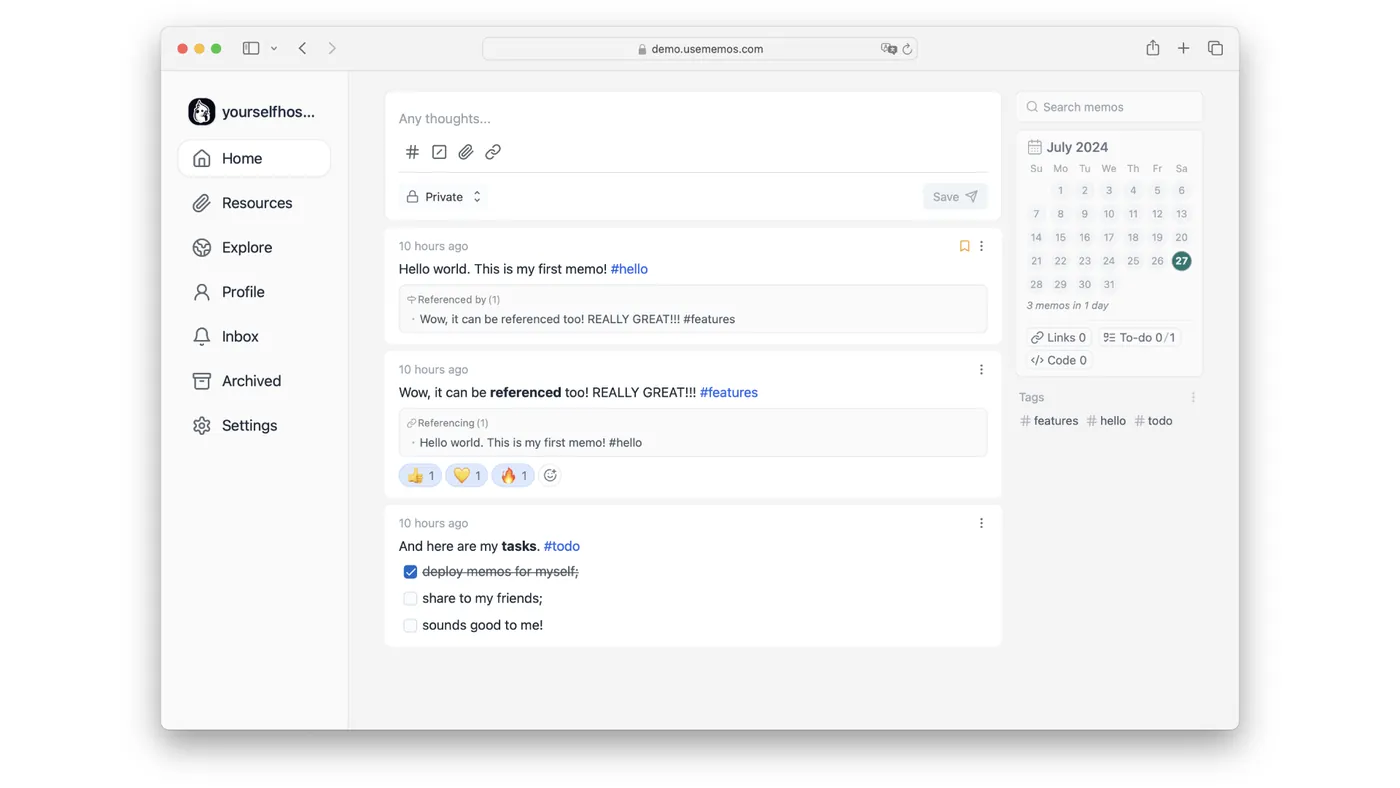
And despite this simplicity, Memos offers useful features:
- Markdown editor to structure text.
- Tags to sort and find notes.
- Responsive on both desktop and mobile.
- Support for images and files.
- Simple, effective syncing.
Why I can’t do without it anymore
Unlike other tools that are too heavy or packed with useless features, Memos lets me jot down an idea in a few seconds, without thinking about how to categorize or format it.
I use it to:
- Capture an idea before I forget it.
- List my daily tasks.
- Keep track of useful server commands.
- Store code snippets.
It’s become my go-to digital notebook.
Self-hosting: owning your data
Memos is open source and can be self-hosted. I installed it on my own server, which gives me:
- Full control over my data.
- Access from anywhere.
- A lightweight app, with no ads or tracking.
For anyone who cares about privacy, that’s a big plus.
A collaborative side
Memos can also be used in shared mode. You can make your notes public, and others can then like them, react with emojis, comment on them, or share them.
It can almost become a mini social network for note-taking, handy for teamwork or for gathering feedback.
Memos vs other tools
| Feature | Memos | Evernote | Notion | Obsidian |
|---|---|---|---|---|
| Minimalist interface | ✅ | ❌ Too cluttered | ❌ Too many widgets | ✅ |
| Markdown support | ✅ | ❌ | ✅ | ✅ |
| Self-hosting | ✅ | ❌ | ❌ | ✅ |
| API access | ✅ | ❌ | ✅ | ✅ |
| Quick note-taking | ✅ | ❌ | ❌ | ✅ |
| Easy syncing | ✅ | ✅ | ✅ | ❌ (without a subscription) |
| Free and open source | ✅ | ❌ (Paid) | ✅ | ✅ |
Conclusion
After two years of daily use, Memos remains, for me, one of the best note-taking tools I’ve tried: simple, open source, self-hostable, fast, and distraction-free.
If you’re looking for an app that just lets you write, without getting lost in options, I’d recommend giving it a try: Memos demo.