Since mid-October, a good chunk of my evenings has gone into a side project: Rypt, a cloud storage server you host yourself, end-to-end encrypted and written in Rust. The starting idea is simple. The server keeps your files, but it has no way to read them.
“Encrypted”, sure, but by whom?
Pretty much every online storage service will tell you your files are encrypted. They’re not lying. Most of the time, though, the files are encrypted on their servers, with their keys. So the provider can read them, scan them or hand them over to whoever asks, and a breach on their side becomes a breach on yours.
Running your own Nextcloud solves part of the problem, since at least you know where the data lives. But the server’s admin, or whoever broke into it, still sees everything in the clear, file names and folder tree included.
With end-to-end encryption, files are encrypted on your device before they leave it, and you’re the only one holding the key. The server just stores data it can’t make sense of. We expect that from Signal for our messages, and it’s exactly what laws like Chat Control would like to get around. I wanted the same thing for my files, on a server of my own.
The idea behind Rypt
From the user’s side, Rypt looks like Google Drive or Nextcloud. You get folders in a list or a grid, a folder tree, versions, a trash, uploads that resume after a cut and folders you can download as ZIP. The difference is that everything gets encrypted in the browser before it’s sent: the file contents, but also their names, the folder tree and the thumbnails.
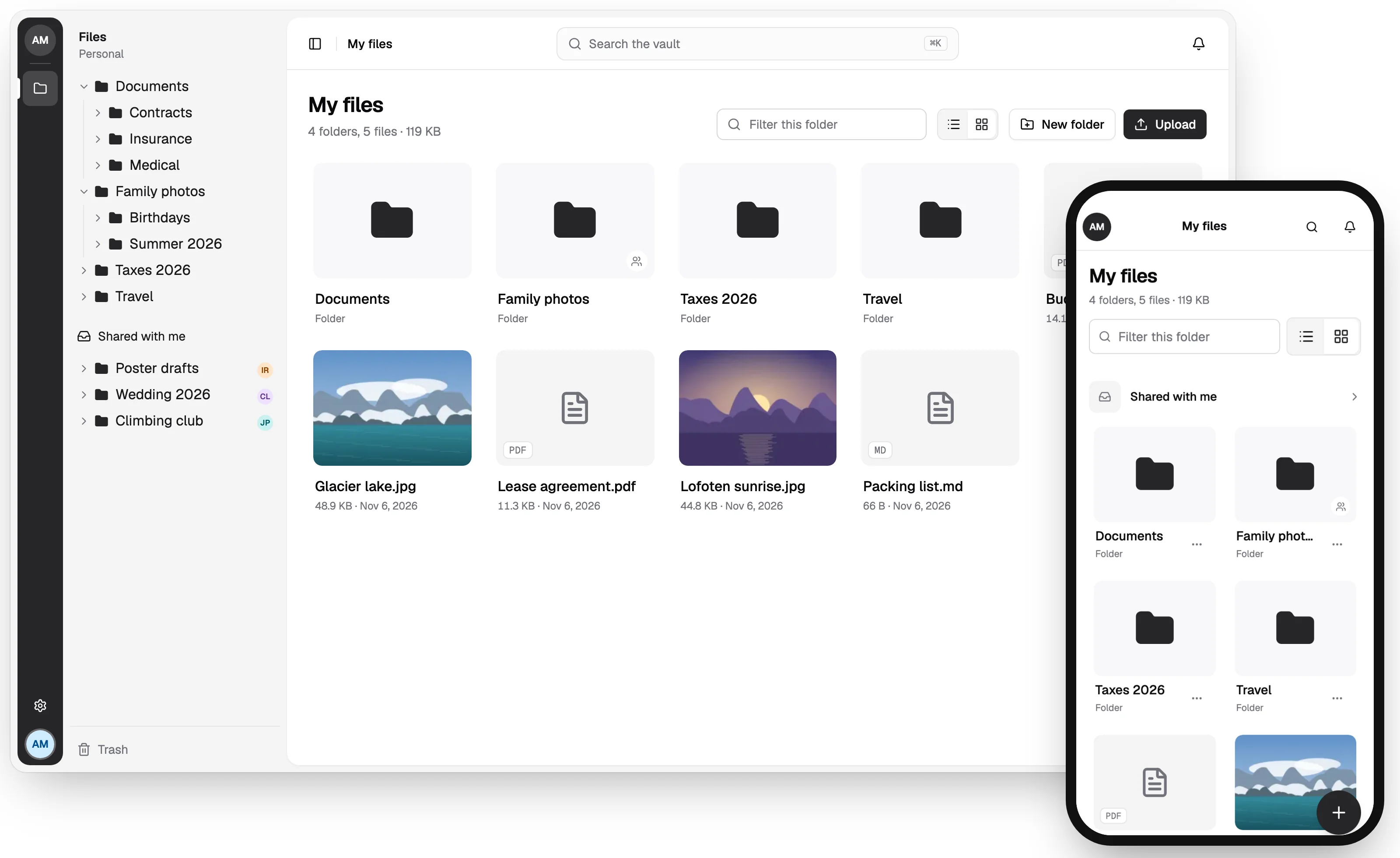
If the admin opens the database, they’ll find accounts, file sizes and encrypted blocks. They won’t find a single file name or a single line of content.
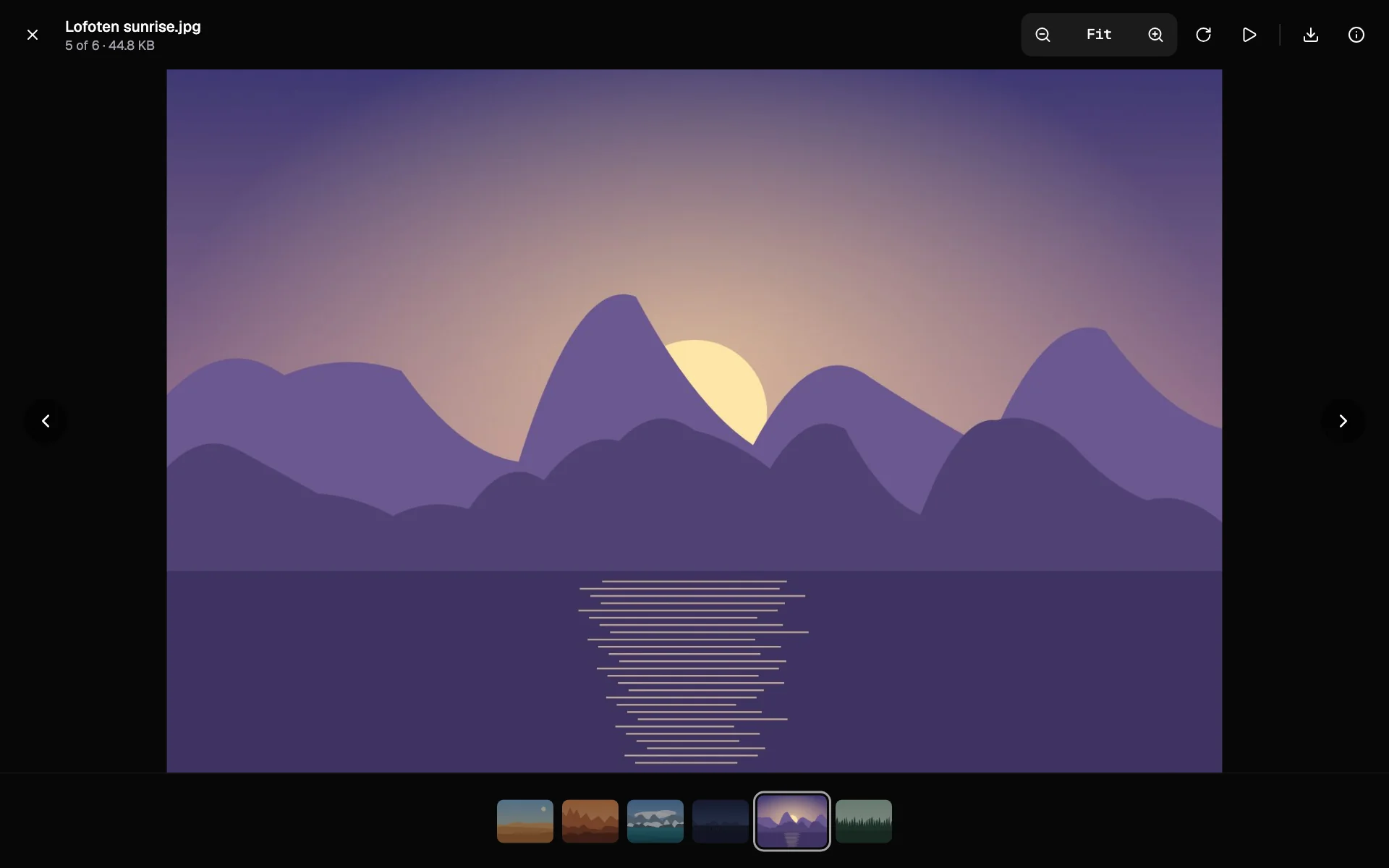
I didn’t want to give up the comfort of a regular cloud for that, though. Photos, PDFs, text, audio and video open in a viewer once the browser has decrypted them. They’re shown in an isolated frame that can reach neither the keys nor the other files, so a PDF crafted to attack the viewer can’t go digging through the rest of the vault.
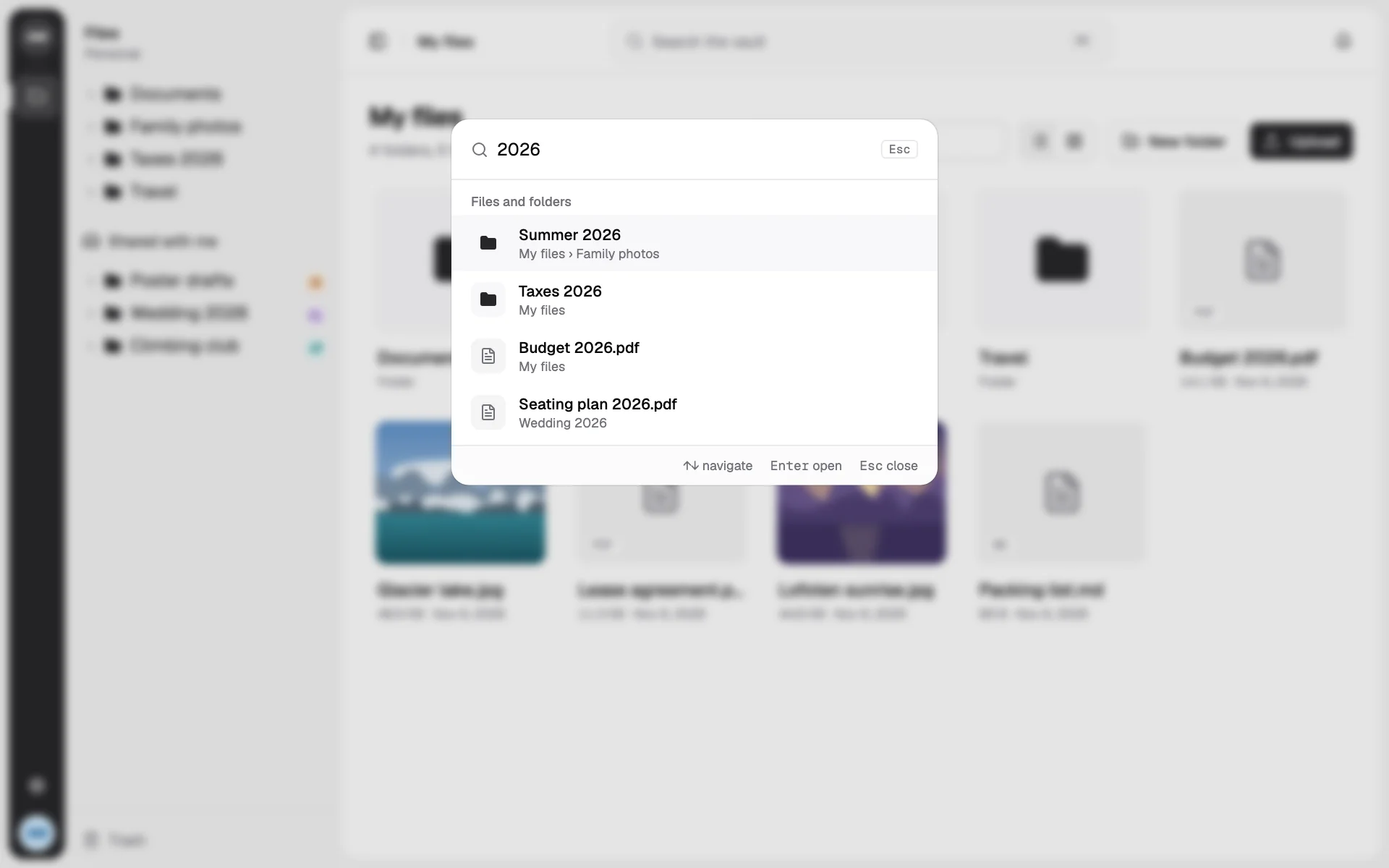
There’s search too, with ⌘K (or Ctrl K), across your files and the ones shared with you. The browser builds the index from the decrypted names and keeps it in memory. The server sees folder listings go by, never what you’re searching for.
How it works, simplified
Encryption happens in the browser
The core of Rypt is a Rust library compiled to WebAssembly, running in a browser Worker. It encrypts and decrypts everything, with XChaCha20-Poly1305. The server receives data that’s already encrypted and stores it as is, on disk or on any S3-compatible storage.
The password never leaves the device
For signing in, I use OPAQUE. This protocol lets you prove to the server that you know your password without ever sending it, not even hashed, so the server can’t use it to get at your keys.
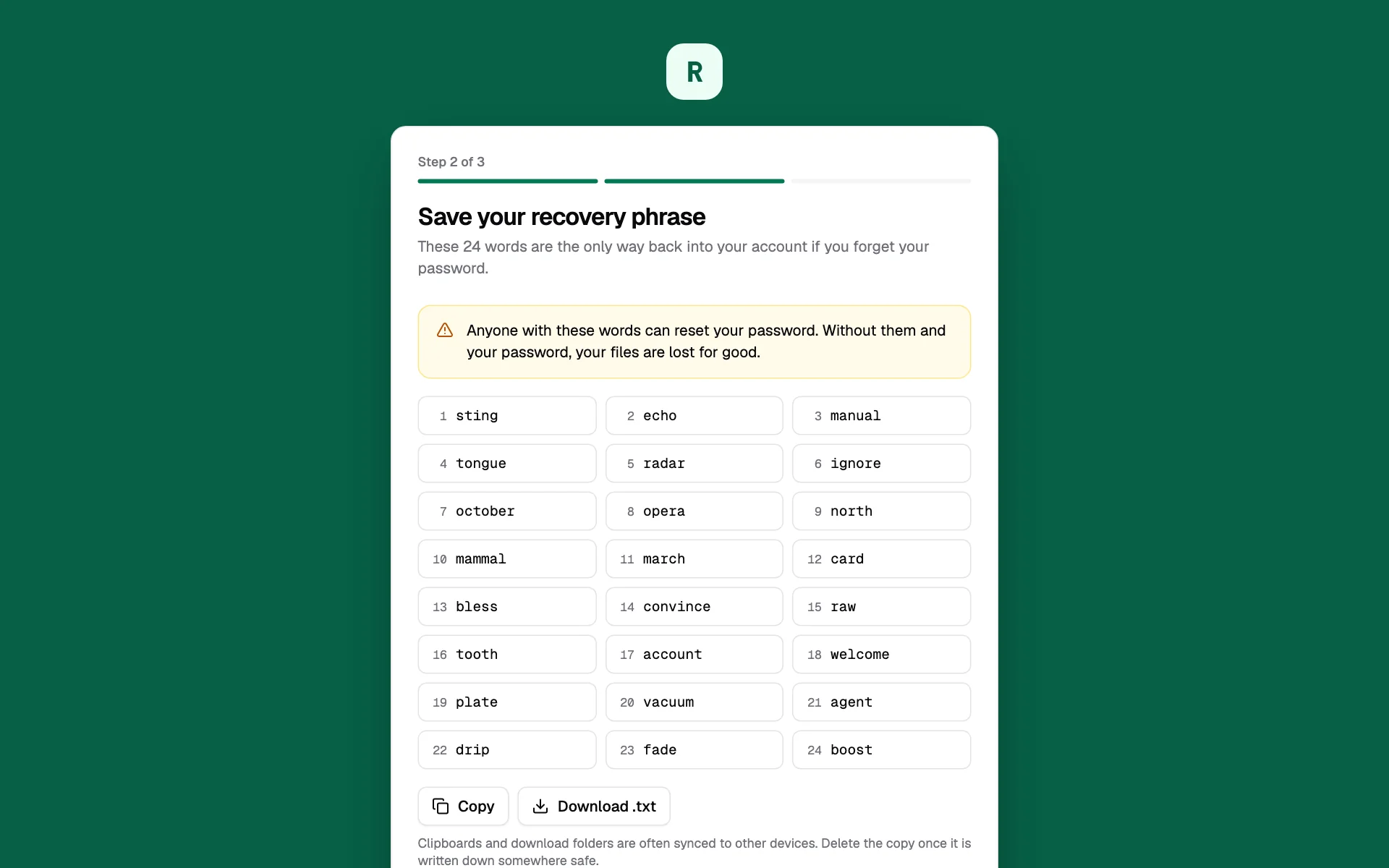
At signup, Rypt gives you a 24-word recovery phrase. That’s the price of end-to-end encryption: nobody can “reset” your keys for you. Forget your password and lose the phrase, and your files are gone too.
You can add two-step verification (a TOTP code from an app, or backup codes) and choose to stay signed in on a device. In that case the browser keeps a random key and the server keeps the other half, and neither one opens the files on its own.
A server that can’t cheat
Encryption isn’t enough by itself. A malicious server could swap a file, bring back an old version or make something you deleted reappear. In Rypt, everything that belongs to the file tree is signed (Ed25519) by the account that wrote it, and the browser remembers the last state it saw for each item. If the server tampers with a file or serves an old version, the browser refuses it and flags it as tampered. The same goes for a file you moved to the trash or deleted for good: the server can’t quietly bring it back.
Sharing without giving the key to the server
This is the part that took me the most work, by far.
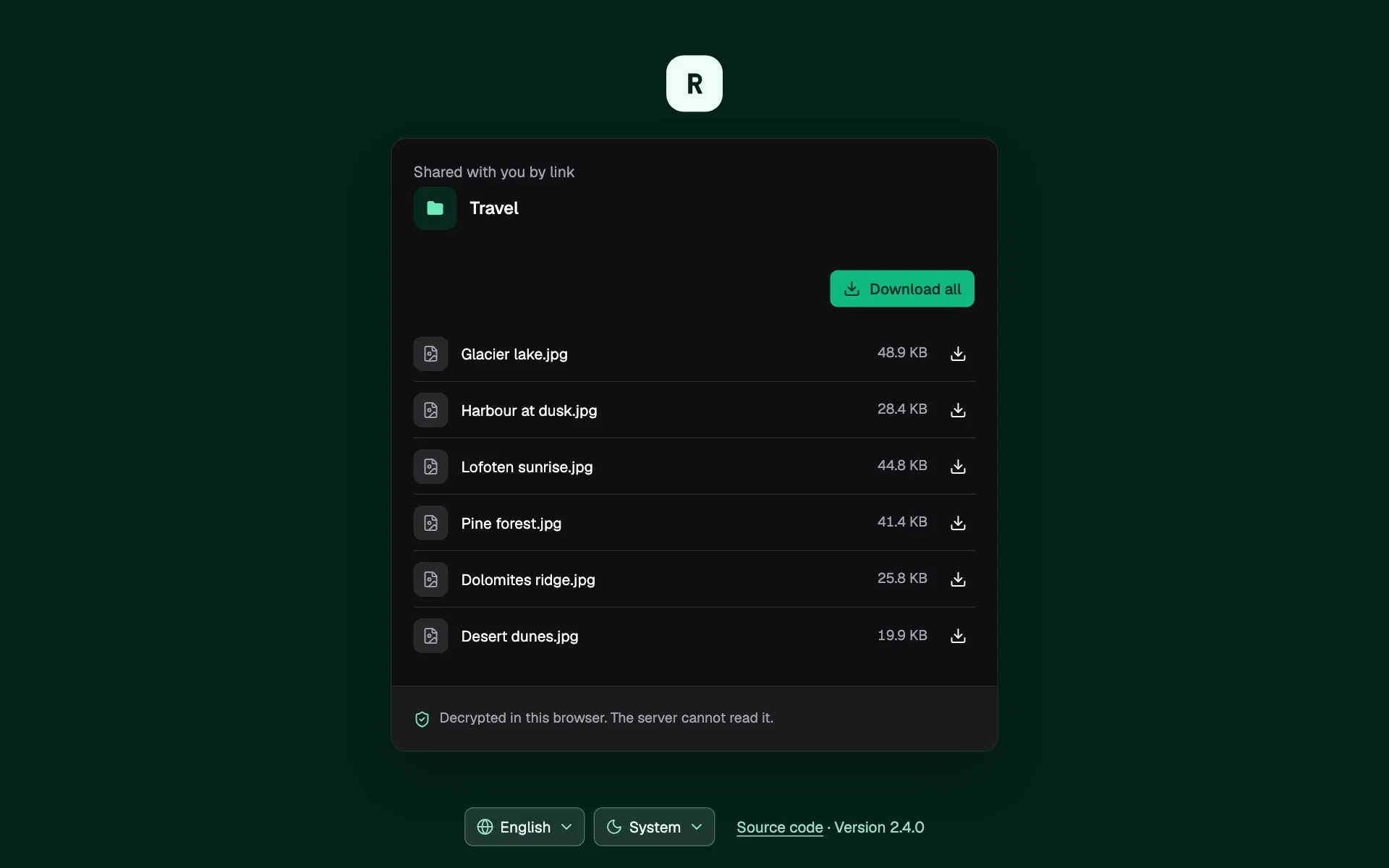
The simplest piece is share links. You send a link to a file or folder to someone without an account. The secret needed to decrypt it sits after the # in the URL, and browsers never send that part to the server, so decryption happens on the recipient’s side. Links can also expire or be protected with a password.
Then there’s sharing between accounts on the same instance, with a level for each person: Read, Comment, Write or Manage. Each member gets the folder’s key encrypted just for them. The list of who may do what is signed, so if the server quietly adds someone, browsers refuse it. When you remove someone or lower their level, the browser gives the folder new keys.
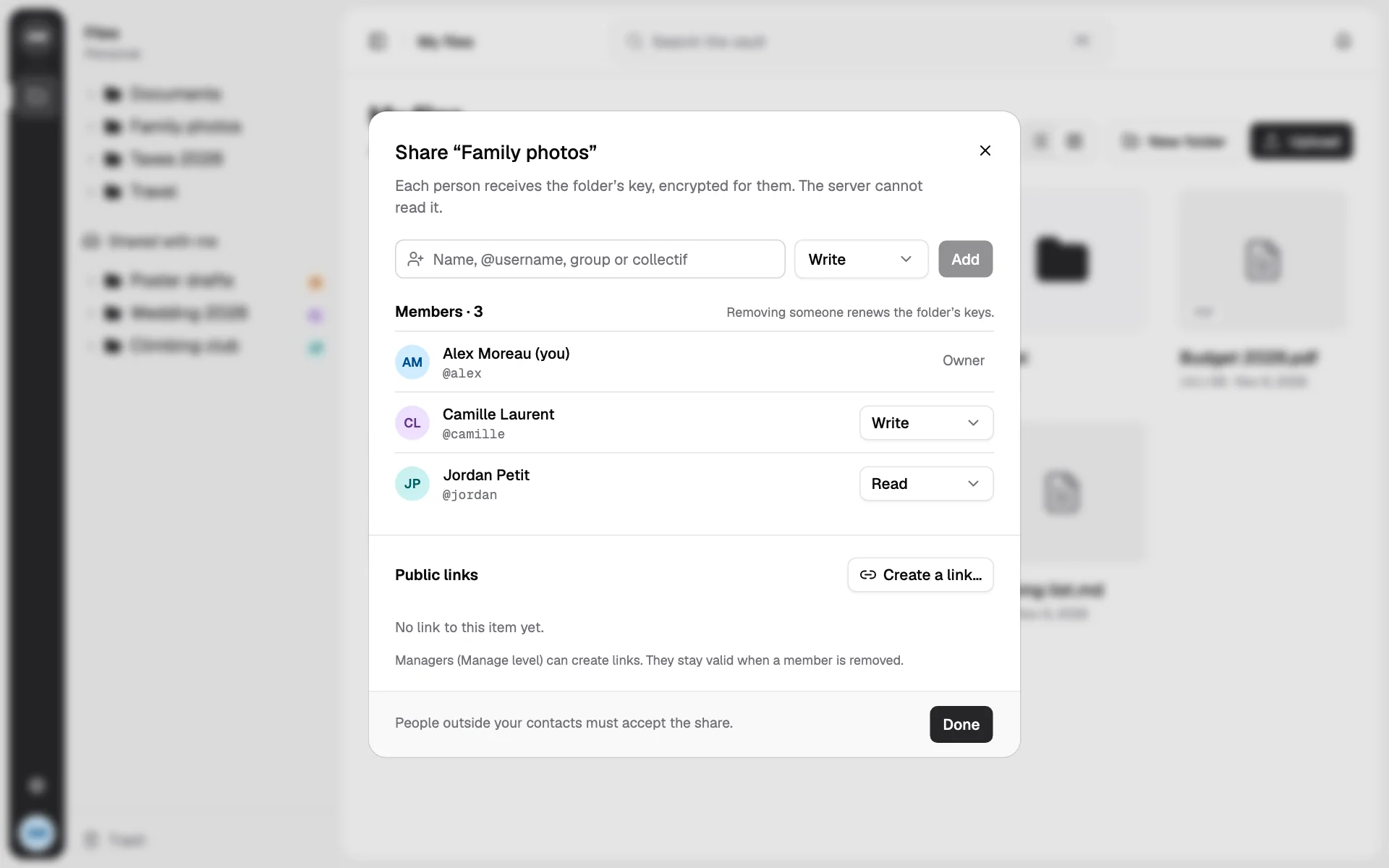
Those shared keys are protected with X-Wing, which combines X25519 and ML-KEM-768, a post-quantum algorithm. In practice, someone recording these exchanges today couldn’t open them later with a quantum computer. And if one of the two algorithms ever breaks, the other still holds.
You still need to be sure you’re sharing with the right person, and not with an account the server created under their name. Like on Signal, you can verify a contact by comparing a safety number or scanning a QR code. If their keys change, Rypt blocks what they share until you’ve checked again.
Collectifs: shared workspaces
My latest big piece of work is collectifs. They’re shared workspaces that no single account owns, with their own files, storage and trash. I had a nonprofit, a small team or a family in mind.
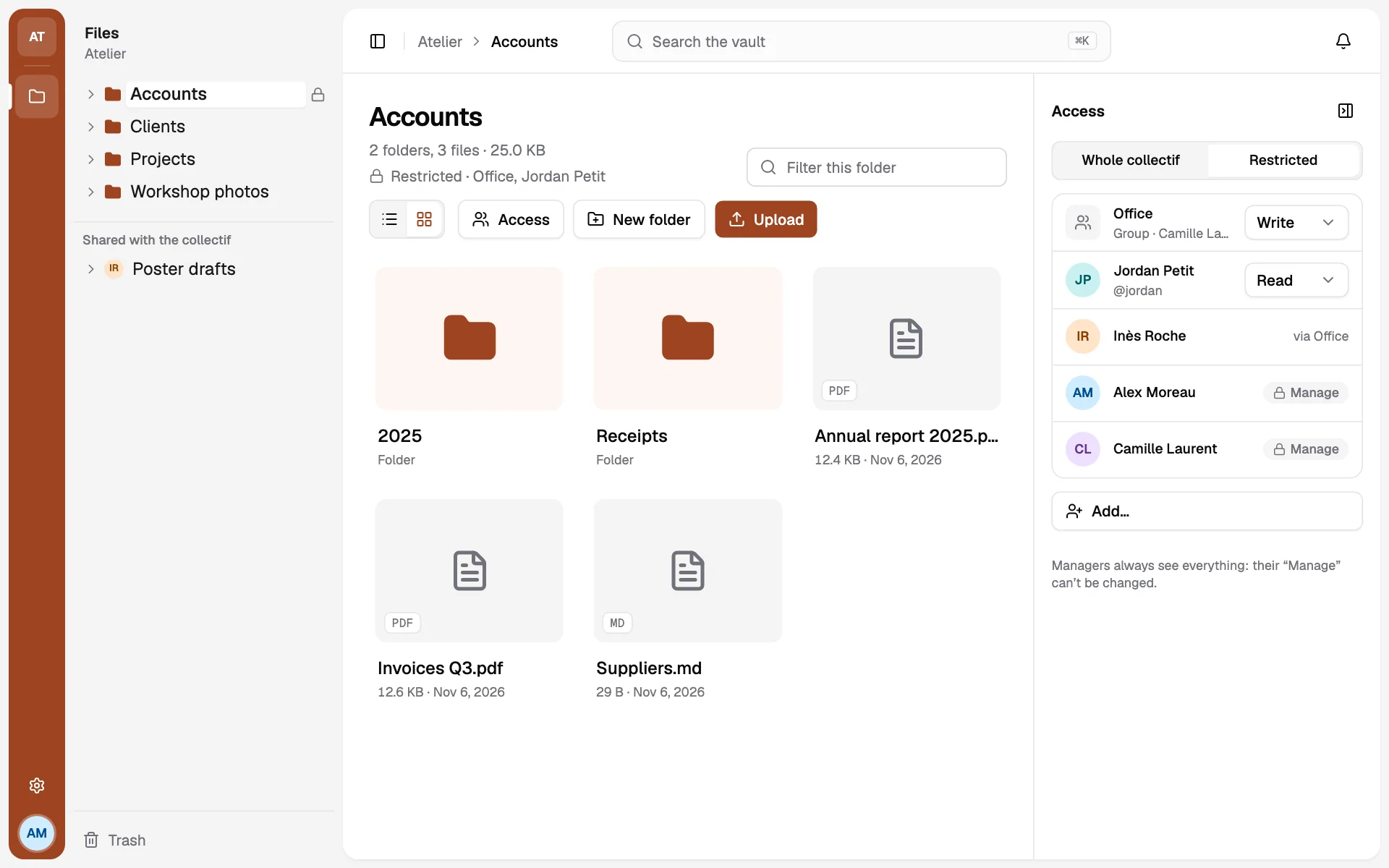
People join by invitation, with a level and possibly some groups. Managers can create restricted folders, open only to certain groups or members and invisible to everyone else. Their browsers hold and hand out the keys, and the server never gets access to them.
For organizations that need it, there’s also recovery by the organization, off by default. Once it’s on, a 24-word phrase held by the organization can recover access to collectifs, and to the personal files of accounts that agreed to it. It’s a trade-off, and I own it: whoever has that phrase can read everything in that scope. It belongs on paper, offline, not in a text file on someone’s desktop.
Why Rust?
First, because it gives me one language for the server and for the client’s crypto. The same Rust code runs on the server and, once compiled to WebAssembly, in the browser. Data formats are defined once, and the API types are exported to TypeScript for the interface.
Then there’s memory safety. When you write code that handles keys and decrypts data from a server that may not be honest, that’s reassuring. The project forbids unsafe code outright, and everything the client decodes after decryption gets fuzzed.
And the building blocks are solid. The server runs on axum and PostgreSQL, and the Rust ecosystem has very good implementations of Argon2, ChaCha20, Ed25519 and ML-KEM.
The interface is built with SvelteKit, shadcn-svelte and Tailwind, and tested with Vitest and Playwright. It comes in English and French, in a light or dark theme, and works on a phone.
Hosting it yourself
Rypt was designed for self-hosting. It’s a single binary with the web interface embedded, a PostgreSQL database next to it, and files on disk or in an S3 bucket. Deployment uses Docker Compose and takes a few commands: fill in the address and two passwords, start the containers, and one last command prints the first signup link.
All that’s left is putting it behind a reverse proxy (Caddy, nginx or Traefik). By default, people can only sign up with an invite. The admin manages accounts, quotas and collectifs from a panel or from the shell, without ever seeing a file name, and every one of their actions goes into a log.
What Rypt doesn’t do (yet)
There are limits, and I’d rather spell them out myself.
The biggest weak spot is that the server delivers the interface’s code. Every end-to-end encrypted service on the web has this problem: a compromised server could serve a booby-trapped client. Native clients and reproducible builds are planned to close that gap.
Signatures aren’t post-quantum yet either. Key exchanges are, but a future quantum computer could forge Ed25519 signatures.
The server also sees metadata: file sizes, the number of versions, who shares with whom and at which level. It doesn’t see names or contents, but that’s still information.
Contacts are trusted on first use. Until you verify a contact by safety number or QR code, a server that’s malicious from day one could pose as them.
Finally, there hasn’t been an external security audit yet. I’m careful, the code is tested and fuzzed, but nothing replaces an outside review.
What’s next?
Rypt isn’t public yet, and I’ll only share it once I think it’s ready. I’m not giving a date. I have a huge amount of work at the moment, and Rypt moves forward at the pace of whatever evenings I have left.
As for version numbers, Rypt is officially at 2.4.0. To be honest, I’ve let versioning slide: sharing between accounts, collectifs and post-quantum encryption have all landed since without the number changing. Once everything I want in it is done, I’ll release a 3.0, which will be Rypt’s real “1.0” in a way. That’s when I’ll start versioning properly.
After that, I’d like to tackle native clients and reproducible builds, so the client no longer depends on code served by the server.
Open source, but how far?
There’s one question I still haven’t settled: whether to publish all of the interface’s code. The rest of the project is meant to be open source. For the front-end, though, I’m considering keeping some parts to myself, the ones that could help someone find flaws while the project hasn’t been audited.
I know that’s debatable. A web interface’s code is sent to every browser anyway, so anyone motivated enough can read it. And for an encryption tool, being able to check what the client does is precisely what lets people trust it. I haven’t found the right balance yet. I’ll come back to it once I have.